
Open IPTVIO
The app is designed for Apple TV with tvOS 17.6 or later. Contact us for availability.

LIVE TV, CINEMA & COLLECTIONS
Live TV, your IPTV movies and series, and your Jellyfin libraries come together in IPTVIO. Combine Xtream or M3U with Jellyfin, then customize colors, menus, collections, and profiles.
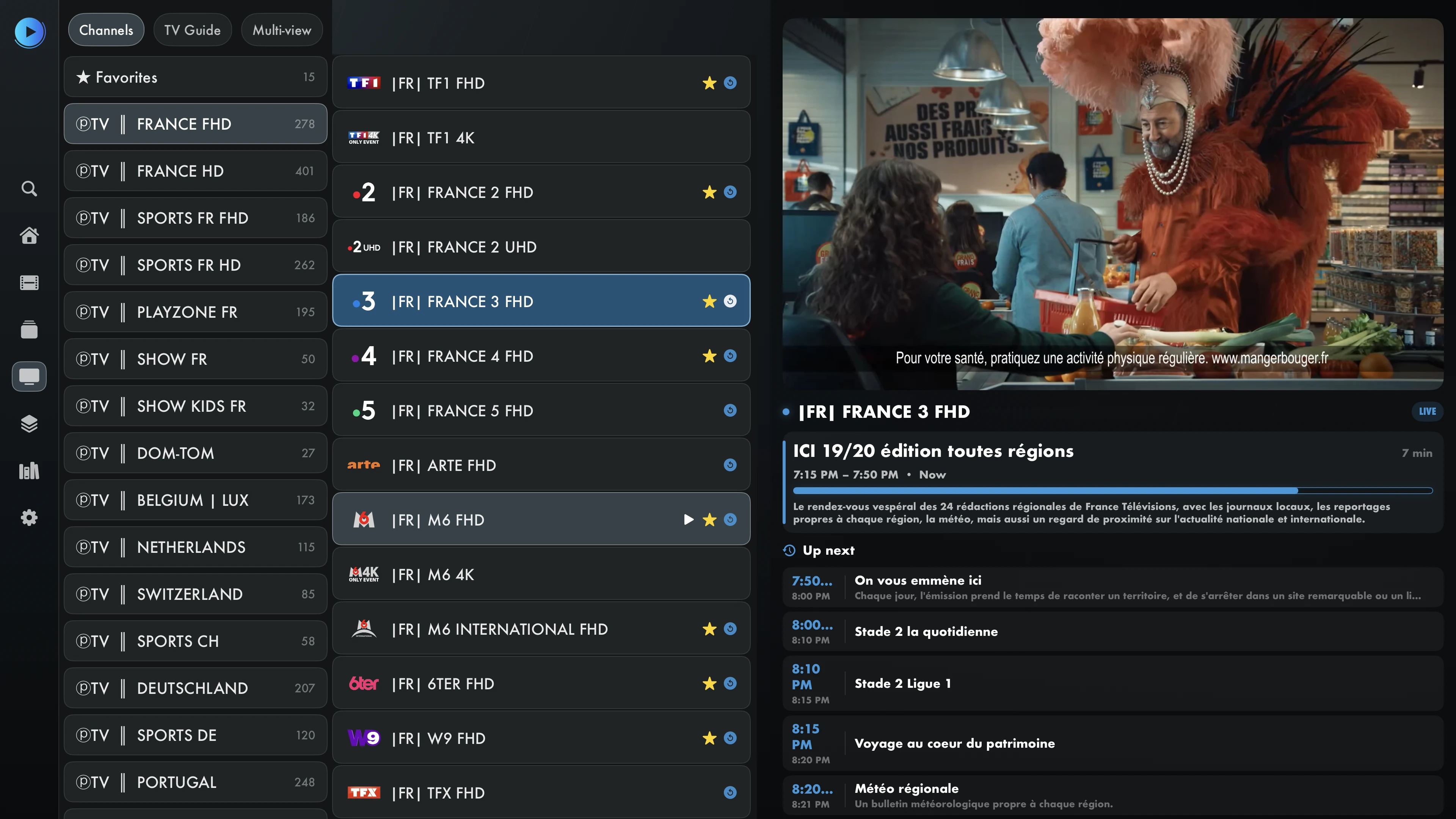
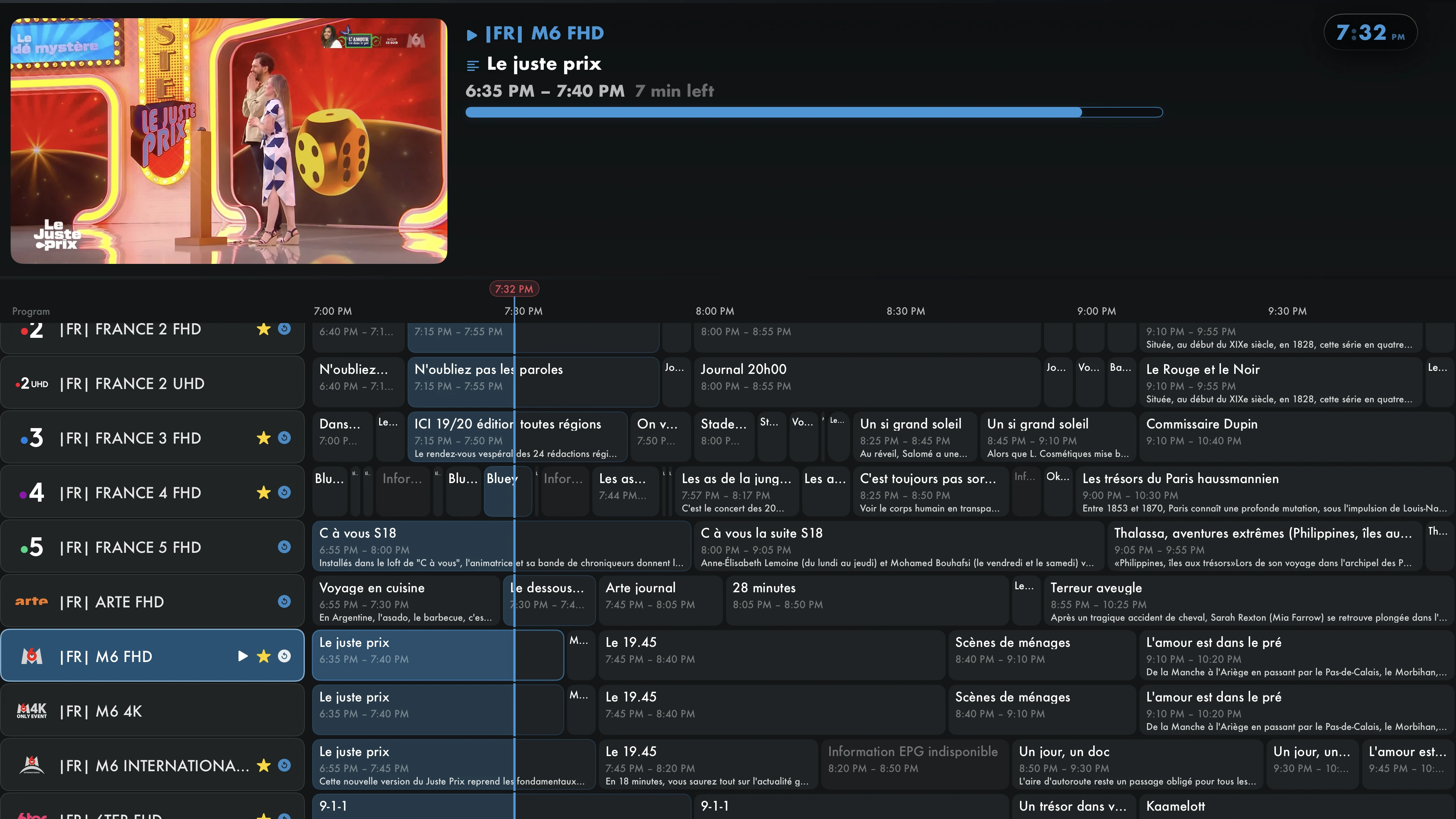
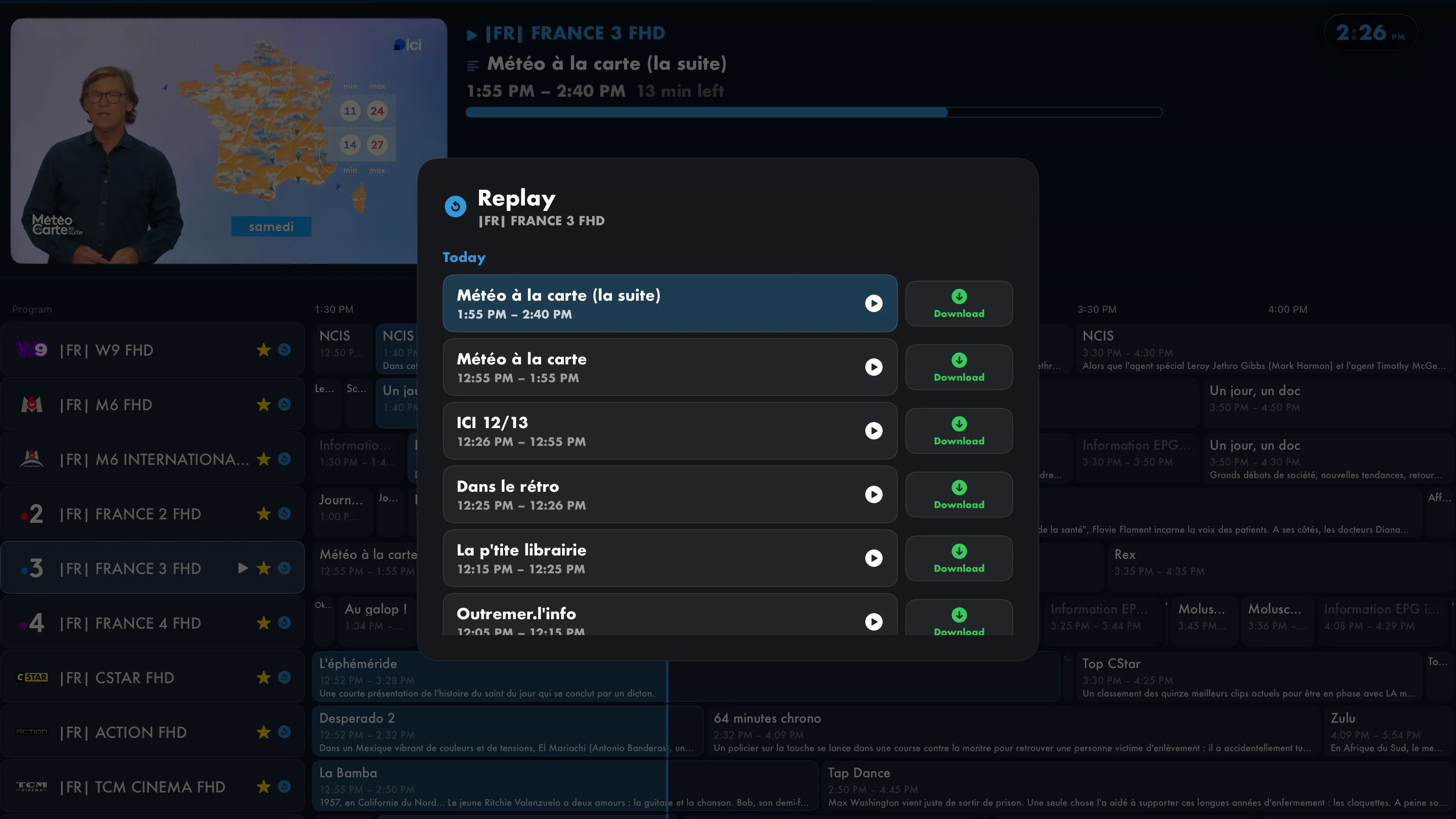
Remote navigation, favorites and playback progress.Real Apple TV screenshots · English interface
Captured on a physical Apple TV. Titles and categories from your sources may keep their original language. No content is included.
YOUR COMPATIBLE SOURCES AND SERVICES
 TraktiCloudSMB
Discover IPTVIO
Explore live TV, the programme guide, profiles and appearance settings.
Browse your catalogs and build collections from the sources you have connected.
Access downloads, replay and files on your NAS from your library.
Compare included features and Pro options, then choose your plan.
Getting started
The app is designed for Apple TV with tvOS 17.6 or later. Contact us for availability.
Confirm your profile, add Xtream or an M3U playlist, then connect Jellyfin alongside it. Configure everything from your TV or the local web interface.
Choose your layout, organize your catalogs and start a channel, movie or episode.
IPTVIO is a player. No channels, movies or IPTV subscriptions are included. Only add content you are authorized to access.
No. IPTVIO is an independent media player. It does not provide, sell or host channels, playlists or content packages. You use your own sources and must have the necessary access rights.
This version is designed for Apple TV running tvOS 17.6 or later. You can use your phone or computer to configure the app through its local web interface. Versions for iOS and iPadOS are in development and coming soon.
Xtream Codes, M3U / M3U8 playlists, and XMLTV guides are supported. Connect your own Jellyfin server to access its movies, series, and collections in the same app.
Yes. Jellyfin complements your IPTV sources: keep your playlist and connect your server from the welcome assistant or settings. Third-party subscriptions and servers remain your responsibility. View the full comparison.
No. IPTVIO is an independent client, unaffiliated with the Jellyfin project. Your server, its users, and their permissions determine which libraries and media are accessible.
Download compatible movies or episodes where the source permits it, then watch saved files without an internet connection. Not all streams can be downloaded. Available space and tvOS storage rules apply; tvOS may remove files to free up space. See the comparison for plan availability.
Colors, logo, fonts, text size, in-app menus and categories, startup screen, clock and subtitles.
Profiles keep preferences and libraries separate. Parental controls help manage access to content. See the comparison for the features in each plan.
The download link will be added when available. For current availability, email support@iptvio.ch.
Catch-up, the guide and some playback settings require data or formats supplied by your source. For multiview, your subscription must allow multiple simultaneous connections.
iCloud can sync sources and their credentials, favorites, profiles and playback progress across your Apple TVs. You can turn it off. The comparison shows availability; see the privacy policy for details and deletion options.
Yes. Add and remove individual channels with no favorites limit. The manager also lets you select whole categories and save additions or removals in batches. Availability is shown in the comparison.